
Facebook Events Alternatives That Don't Need Accounts for Organizers
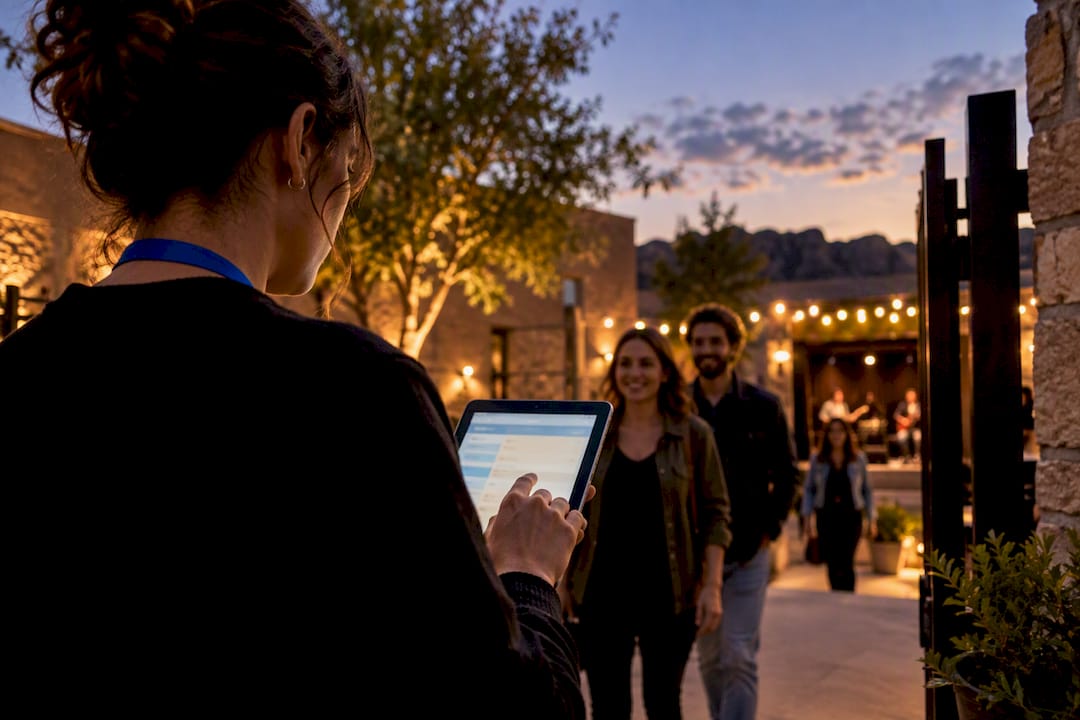
Yes, there are real alternatives to Facebook Events, and picking the right one comes down to matching your event to a category, not finding one universal fix. Your main paths are ticketing platforms, RSVP-first tools, calendar-based invites, community discovery apps, and pro planning workspaces. For local live arts, Experiencebylocals gives performers and small venues a searchable, bookable home that doesn't depend on Facebook's feed at all.
TL;DR:
- Ticketing platforms are best for paid events with capacity limits, but they often involve per-ticket fees that can add up quickly.
- RSVP-first tools like PopIn allow event responses without requiring guests to create accounts, making them suitable for casual or private gatherings.
- Public discovery platforms such as Experiencebylocals help local arts and performances reach an engaged audience by providing searchable, bookable listings.
- Migrating from Facebook requires collecting contact data directly and running a staged transition with multiple outreach channels to maintain attendance.
- Experienced organizers recommend running small test migrations to measure actual turnout before replacing Facebook entirely, especially for community-based events.
Table of Contents
- What Are the Best Facebook Events Alternatives by Category?
- How Do These Alternatives Work in Practice?
- How Do You Choose the Right Alternative for Your Event?
- Why Experiencebylocals Works for Local, Bookable Performances
- Can You Export Your Guest List and Event Data From Facebook?
- How Do You Migrate an Event Off Facebook Step by Step?
- The Tradeoff Nobody Tells You About Leaving Facebook
- List Your Next Show With Experiencebylocals
- Sources
- FAQ
What Are the Best Facebook Events Alternatives by Category?
The right Facebook Events alternative depends entirely on what kind of gathering you're running. A backyard birthday party has nothing in common with a 200-seat comedy show, and treating them the same way is how organizers end up frustrated with whatever tool they picked.
Here's how the five main categories break down:
- Ticketing platforms handle paid admission, seat limits, and automated reminders. Best for shows with a cover charge or capacity cap. Attendees usually need to enter payment info, but rarely a full account.
- RSVP-first tools like PopIn focus on simple guest lists. PopIn's accountless RSVP links let guests respond without creating a profile, which matters if your crowd includes people who avoid signing up for new apps.
- Calendar-based invites (Google Calendar, Apple Calendar) work when your group already trusts email. Zero learning curve, but no public discovery.
- Community marketplaces like Radius prioritize local, algorithm-free discovery over viral reach, which suits recurring meetups better than one-off parties.
- Pro planning workspaces such as Eventio bundle budgeting, vendor coordination, and timelines for organizers running complex or recurring productions.
The tradeoff running through all five: the easier you make it for a stranger to find your event, the more friction you usually add to actually RSVPing. Pick your category based on which side of that tradeoff matters more for this specific event.
How Do These Alternatives Work in Practice?
Picking a category is step one. Actually running the event through it is where organizers get stuck, so here's what each workflow looks like when you copy it directly.
- Private social gathering. Send a Google Calendar invite with the address and time, attach a short Google Form for RSVPs and dietary notes, then keep logistics moving in a group chat on iMessage or WhatsApp. No app installs, no accounts, no cost.
- Public ticketed event. Build an event page on a ticketing platform, set capacity and price, and let the platform send automated day-before reminders. This is where a tool stack of spreadsheets and CRMs tends to creep in, and PlanOS research on planner pricing shows why: many organizers running fragmented systems pay $90 to $180 a month across five or more disconnected tools before they even sell a ticket.
- Recurring community meetup. Post the event on a community discovery app like Radius, maintain an email list as your backup channel, and let local search do the heavy lifting each week instead of re-announcing every time.
- Professional or staged performance. List the show on a marketplace built for live arts, use promoter tools for run-of-show timing, and lean on a platform like Eventio or PlanOS if you're juggling multiple vendors and a real budget.
Pro Tip: Never route your only RSVP channel through a tool that requires an account. Pair one accountless option, like a PopIn link or a plain form, with your main platform, so guests who won't download an app can still say yes.
Cost and friction move in opposite directions across these four workflows. Calendar invites cost nothing and ask nothing of guests. Pro workspaces cost the most and ask the most of you, the organizer, but they save real hours once you're running more than one event a month.
How Do You Choose the Right Alternative for Your Event?
Run through these five questions before you commit to a platform, because the wrong pick usually shows up as either empty seats or a flooded inbox of confused guests.
- How tech comfortable is my audience? Older or casual crowds do better with calendar invites or accountless RSVP links than with a new app.
- Do I need public discovery, or is my guest list fixed? Open events benefit from community marketplaces; private ones don't need discovery features at all.
- Am I charging for admission? If yes, you need real ticketing, not just an RSVP tracker.
- What's my monthly budget? Free tiers exist across nearly every category, but they cap features fast.
- Does privacy matter to my guests? Accountless RSVP, as PopIn's product design demonstrates, removes the single biggest reason people ignore an invite.
| Your priority | Best-fit category | Watch for |
|---|---|---|
| Zero cost, small group | Calendar-based invites | No public reach |
| Public discovery, recurring | Community marketplace | Less viral one-off reach |
| Paid admission | Ticketing platform | Per-ticket fees add up |
| Complex, multi-vendor show | Pro planning workspace | Monthly cost, learning curve |
| Guests who hate signing up | Accountless RSVP tool | Fewer built-in reminders |
Red flags that should send you back to this checklist: hidden per-ticket fees that only appear at checkout, a platform that forces attendees to create an account just to see the date and time, and mobile pages that don't load cleanly, since most guests will open your link on a phone.
Why Experiencebylocals Works for Local, Bookable Performances
Experiencebylocals fits best when you're running a searchable, small-ticketed live arts event and want people to actually find it, not just the friends already on your list. It's built around Colorado's community artists, so a comedy night, a dance showcase, or a theater run gets a home designed for exactly that kind of discovery.
What organizers get:
- A public listing that guests can browse and filter by city or category
- A booking path for attendees to reserve spots for events
- Placement alongside other grassroots shows, which helps first-time performers get found
Starting is straightforward: list your event, add the details, and let local browsers discover it the way they'd discover any other night out in Colorado.
Can You Export Your Guest List and Event Data From Facebook?
Facebook gives you limited export options for events you've created, mainly a downloadable guest list showing names and RSVP status, but it won't hand you email addresses or phone numbers unless guests shared those separately. That's the real portability problem: your audience data mostly lives inside Facebook's walls, not in a file you can move.
Most alternatives solve this the other way around, by collecting contact info directly instead of relying on platform-native RSVPs. A Google Form captures email addresses you own outright. A ticketing platform typically lets you export attendee lists as a CSV, including emails, which you can then import into Mailchimp, a plain spreadsheet, or your next event's invite list. Community marketplaces like Radius and listing platforms such as Experiencebylocals build audience relationships through follows and saved events rather than a one-time export file, which matters more for organizers running recurring shows than a single party.
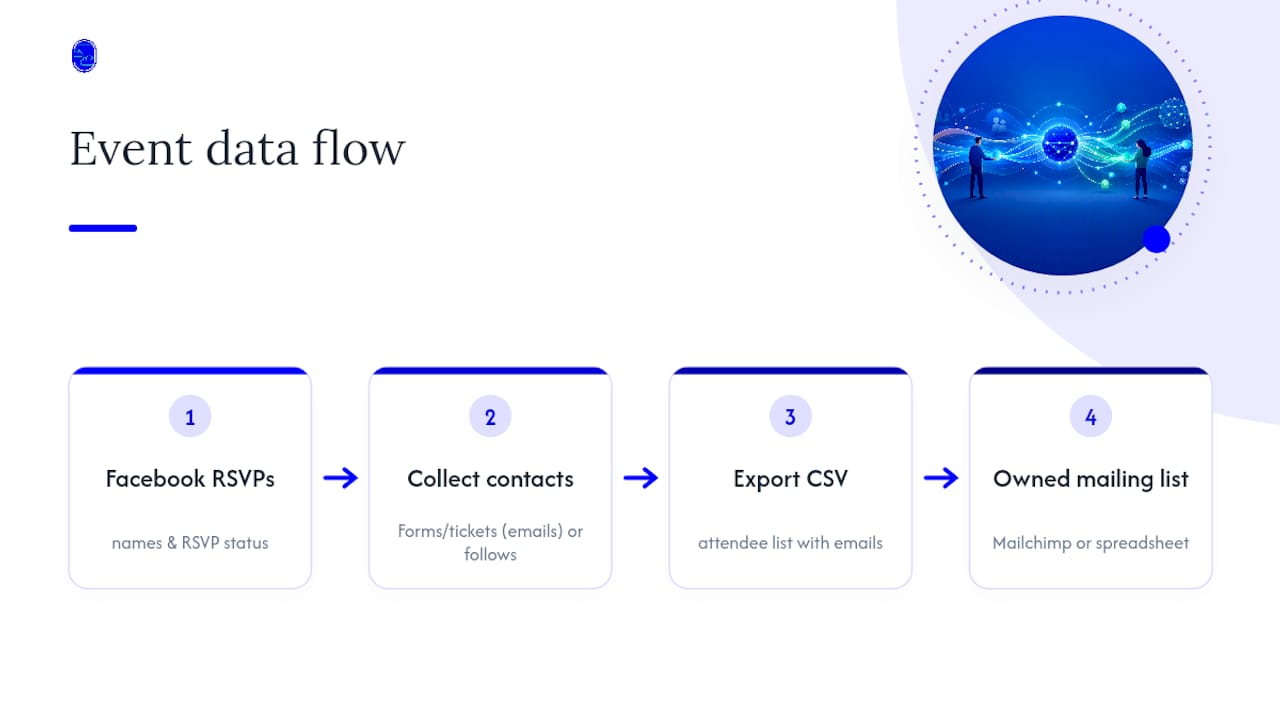
The practical takeaway: don't wait until you're mid-migration to start owning your guest data. Any new event you run outside Facebook should collect email addresses from day one, even if you're also cross-posting to Facebook for reach. That single habit makes every future move off the platform painless instead of a scramble.
How Do You Migrate an Event Off Facebook Step by Step?
Moving an established event community takes a staged approach, not a single announcement, because guests who've relied on Facebook reminders for years won't all see a one-time post.
- Export what you can. Pull your current guest list and RSVP data from Facebook before you do anything else.
- Pick your new platform based on category. Use the checklist above. Ticketed show, public discovery event, or private gathering all point to different tools.
- Announce on Facebook first, with the new link. A staged migration that keeps the Facebook post up while pointing guests to the new RSVP link recovers the most attendees.
- Send a direct follow-up. Email or text your existing list separately. Facebook's algorithm may not show your announcement post to everyone who'd want it.
- Keep a consistent discovery channel running. For recurring meetups, an email list or a community listing page matters more long-term than which specific platform you land on.
- Give it two full event cycles. Attendance habits take a few repetitions to shift. Don't judge the migration off one low-turnout night.
The Tradeoff Nobody Tells You About Leaving Facebook
Every organizer who leaves Facebook Events trades something for something. I've watched community comedy nights gain reliable RSVPs the moment they dropped Facebook's flaky notification system, only to lose the casual, half-interested browser who used to stumble onto the event in a feed.
Run a low-risk test first: migrate one event, not your whole calendar, and measure actual turnout against your old numbers before committing further. Keep at least two outreach channels alive during the switch, typically email plus one community posting, so you're not betting everything on a single new platform's reach.
— DJ
List Your Next Show With Experiencebylocals
If you're organizing local music, dance, comedy, or theater, Experiencebylocals gives you something the calendar hacks and DIY spreadsheets can't: a built-in local audience already browsing for exactly that kind of night out, without asking either of you to fight Facebook's feed for visibility.
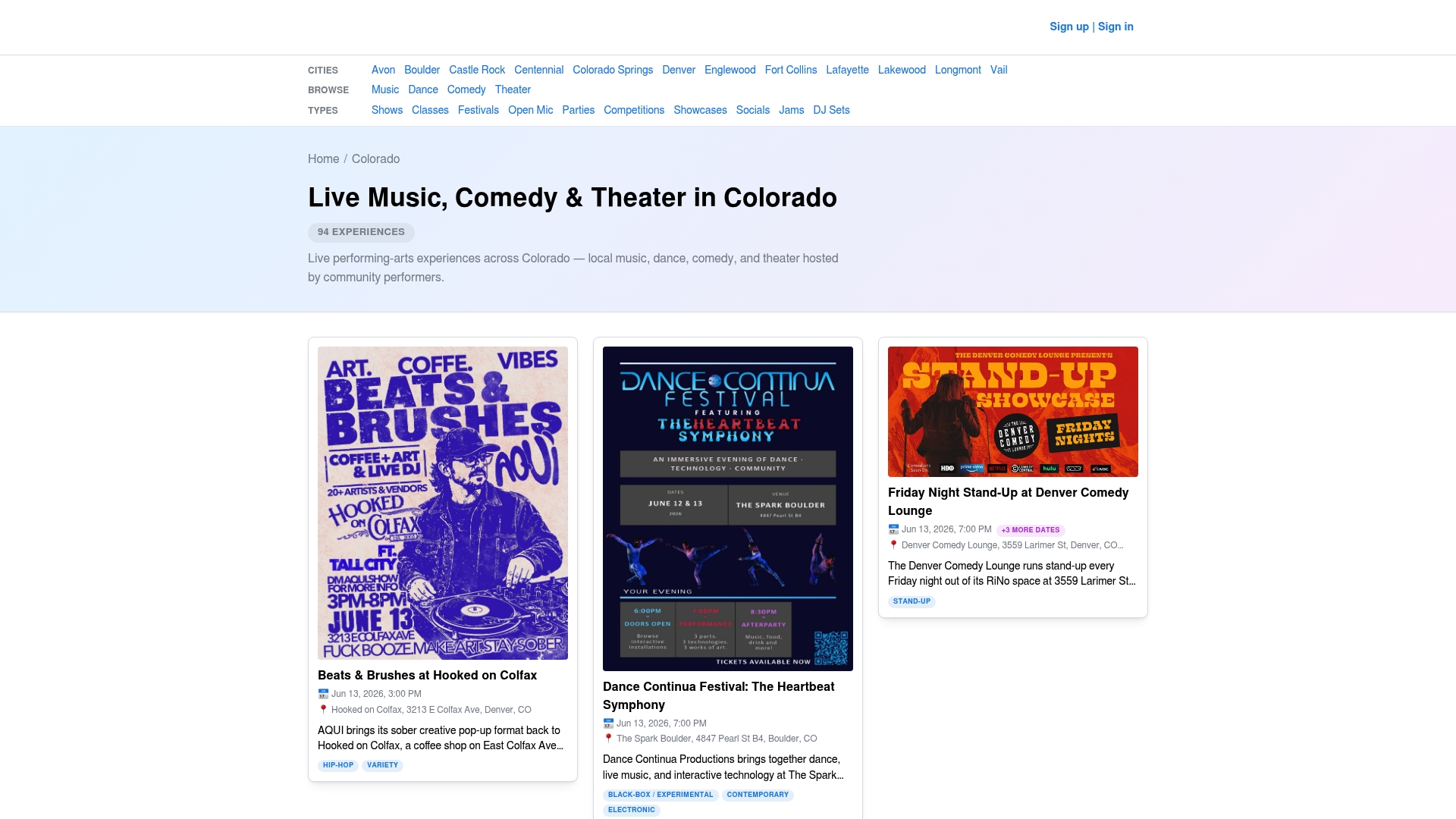
Getting started requires only a few minutes. Create a listing, add your show's details, and let browsers in your area find it through search and category filters. Organizers running comedy nights can start with the Colorado comedy listings to see how similar shows are presented, while dance and theater producers can check the dance and theater pages for the same. When you're ready to list your own event, head to the Colorado events hub and get your show in front of people actually looking for it.
Sources
- PopIn - Event Planning for Everyone, No Account Required
- Best Facebook Events Alternative | Host Local Events Without the Noise | Radius
- Eventio
- PlanOS - Wedding & Event Planner Software with Run of Show
FAQ
What Is the Best App for Social Events?
There's no single best app. It depends on your event: RSVP-first tools like PopIn work for casual gatherings, while community apps like Radius suit recurring local meetups. For bookable local arts events, Experiencebylocals fills that specific niche.
Is It Worth Using Facebook Events Anymore?
Facebook Events still works for reaching an existing Facebook-heavy audience, but many organizers report unreliable RSVP tracking and shrinking organic reach. If discovery and reminder reliability matter more than your existing Facebook following, an alternative usually performs better.
What Are People Using Instead of Facebook Events?
Organizers have shifted toward calendar invites for private gatherings, ticketing platforms for paid shows, and community marketplaces for recurring meetups. Local arts organizers specifically use platforms like Experiencebylocals to reach audiences searching for shows in their area.
What Is Facebook's Biggest Competitor for Event Organizing?
No single competitor replaces Facebook Events entirely, since organizers now split tasks across specialized tools instead of one platform. Community discovery apps such as Radius directly market themselves as the alternative to Facebook's algorithmic noise, while niche platforms like Experiencebylocals compete specifically in local live arts.
How Much Does It Cost to List an Event on Experiencebylocals?
Current pricing details for listing and promoted placements are available directly on the Experiencebylocals site. Browsing and booking events as an attendee is free, and organizers pay only when tickets or registrations are booked through the platform.